A B2B SaaS website checklist is a pass/fail audit of the things that decide whether a buyer understands you, trusts you, converts, and whether an AI engine can find and quote you. This one has 25 checks across six areas, each with a pass condition and a way to test it in under two minutes. Run it in an hour. Fix the five that matter most first.
2026 changed the list. Buyers now research inside ChatGPT, Perplexity and Google's AI Overviews before they open your site, so being readable by a machine joined being readable by a person. Everything else on this list has been true for years, and most SaaS sites still fail half of it.
This is the audit, not the argument. If you want the reasoning behind each item, read our guide to SaaS website best practices. Here, you score, prioritise and fix.
How to use this checklist
Open your homepage, your pricing page and one product page in three tabs. Go through the 25 checks and mark each one pass or fail. Be strict: a partial pass is a fail. Add up the passes.
- 22 to 25: healthy. Fix the misses and re-run quarterly.
- 17 to 21: leaking. Start with the five fixes at the end of this article.
- Under 17: costing you pipeline. The checklist will help, but read the section on when a checklist isn't enough, and put the numbers next to your B2B website KPIs.
1. Messaging and positioning
Messaging failures are the most common and the cheapest to fix. Five checks.
1. The five-second test
Pass: A stranger can say what you do and who it is for from the hero alone, with no product nouns they have to look up.
How to check: Show the hero to someone outside the company for five seconds. Ask them both questions.
2. Headline names the outcome, not the category
Pass: The H1 says what changes for the buyer, not what you are. "Close deals in half the time" passes. "AI-powered revenue platform" fails.
How to check: Read the H1 without the logo. If it could sit on a competitor's site, it fails.
3. Subhead names the buyer
Pass: The line under the H1 names a role, a company type or a stage.
How to check: Look for a job title, an industry or a size. "For teams" is not a buyer.
4. Every core page has one job
Pass: Homepage, product, pricing and each solution page have one H1 that says what the page is for.
How to check: Open each page. If the H1 is a slogan, the page has no job.
5. Positioning matches the sales call
Pass: The hero says what your best rep says in the first minute of a discovery call.
How to check: Read the hero to a rep. If they wince, it fails.
2. Conversion architecture
A SaaS site sells to two buyers at once: the practitioner who wants to try it and the leader who wants to talk to someone. Five checks.
6. One primary CTA per page
Pass: The same primary action, in the same words, repeated at every decision point. Secondary actions are visually secondary.
How to check: Count the button styles above the fold. Two primaries is zero primaries.
7. Two paths for two buyers
Pass: A self-serve route (trial, free plan, sandbox) and a sales-led route (demo) are both visible. Neither is hidden in a footer.
How to check: Check the nav and the hero. A PLG-only site loses enterprise; a demo-only site loses practitioners.
8. Demo form under five fields
Pass: Name, work email, company, one qualifier. Enrichment fills the rest.
How to check: Count the fields. Every field past four costs completions.
9. Pricing is public and in the nav
Pass: A pricing page exists, sits in the main nav, and shows numbers or a starting range. "Contact us" on every tier fails.
How to check: Click Pricing. If you cannot find a number in ten seconds, a buyer cannot either.
10. Mobile hero converts at 375px
Pass: On a phone: headline, one line of subhead, one CTA, no carousel, no video autoplay pushing the button below the fold.
How to check: Open the site on a phone or in a 375px viewport. The CTA must be visible without scrolling.
For the pricing check in depth, see what a high-conversion SaaS pricing page looks like.
3. Trust and proof
Buying committees average 13 people. Most of them will never talk to you. Proof has to do the talking. Four checks.
11. Logo wall near the top
Pass: Recognisable customer logos sit above the fold or immediately below the hero.
How to check: Scroll once. If the logos are in the footer, they are decoration, not proof.
12. Proof with a number near every CTA
Pass: A metric, a quote with a name and title, or a G2 rating sits within one scroll of each primary CTA.
How to check: Find each CTA. Look up and down one screen for a number.
13. Case studies with a result in the title
Pass: At least three case studies, each titled with the outcome ("Cut onboarding time 40%"), not the customer name.
How to check: Open the case study index. Titles that are company names fail.
14. Security and compliance page
Pass: A page listing SOC 2, GDPR, ISO or equivalent, linked from the footer and from the pricing page.
How to check: Check the footer. Enterprise buyers look there first.
4. Technical and speed
The floor. If these fail, nothing above or below them gets found. Four checks.
15. LCP under 2.5 seconds on mobile
Pass: Largest Contentful Paint under 2.5s and Cumulative Layout Shift under 0.1 on the mobile test.
How to check: Run PageSpeed Insights on the homepage and pricing page, mobile tab.
16. Clean heading hierarchy
Pass: One H1 per page. H2s describe sections. No headings used for styling.
How to check: View source or use a headings extension. Count the H1s.
17. Sitemap, robots and canonicals
Pass: Sitemap live at /sitemap.xml, robots.txt not blocking anything you want indexed, one canonical per page, www and non-www resolving to one version.
How to check: Open /sitemap.xml and /robots.txt. Load the site with and without www.
18. Meta descriptions present and under 160 characters
Pass: Every page in the top 20 by traffic has a unique meta description that does not get cut off.
How to check: Export the top 20 URLs from Search Console and check length. In our audit, 28% of Webflow sites ran long.
On Webflow, the Webflow SEO checklist in our Academy covers these four with a Google Sheet you can copy.
5. AI readiness
This is the section that separates 2026 from 2024, and it is where the data is worst. In our audit of 250 B2B SaaS websites, 89% passed the SEO basics. 8% passed this section. Six sites out of 250 passed everything. The good news is that every item here is markup or a file, so the fixes are measured in hours.
19. Organization schema sitewide
Pass: One Organization JSON-LD block on every page, in the server HTML, not injected by JavaScript.
How to check: View source on any page and search for "Organization". If it only appears after the page loads, AI crawlers never see it.
20. FAQ schema on high-intent pages
Pass: Pricing, comparison, alternatives and top product pages carry FAQ markup that matches visible questions and answers.
How to check: Run the pricing page through a schema validator. Only 8% of sites pass this one.
21. Structured data on every template
Pass: No template ships without at least one JSON-LD block. Blog, product, solution, case study.
How to check: Check one page of each type. 31% of the sites we audited had none anywhere.
22. A real llms.txt
Pass: A curated llms.txt at the root, pointing to your most important pages, with every link alive.
How to check: Open /llms.txt. A placeholder or a list of 404s fails.
23. AI crawlers allowed
Pass: robots.txt does not block GPTBot, PerplexityBot, ClaudeBot or Google-Extended unless you decided to on purpose.
How to check: Read /robots.txt. 7% of sites we checked blocked at least one of these, mostly by accident.
JSON-LD templates and an llms.txt starter for all five are in the AEO Starter Kit.
6. Ownership and maintainability
A site that passed everything in January fails by June if nobody can maintain it. Two checks.
24. Marketing can ship without a ticket
Pass: A marketer can publish a page, rewrite a hero and add an FAQ without a developer.
How to check: Ask how long the last hero change took from decision to live. More than a day fails.
25. Templates carry the compliance
Pass: Schema, metadata and FAQ bindings live in the template, so a new page is compliant the moment it is created.
How to check: Create a test page from the template and view source. If the schema is missing, every future page starts broken.
The checklist at a glance
All 25 in one place. Copy it into a doc, add a pass/fail column, and you have your audit sheet.
| # |
Check |
Area |
| 1 | The five-second test | Messaging and positioning |
| 2 | Headline names the outcome, not the category | Messaging and positioning |
| 3 | Subhead names the buyer | Messaging and positioning |
| 4 | Every core page has one job | Messaging and positioning |
| 5 | Positioning matches the sales call | Messaging and positioning |
| 6 | One primary CTA per page | Conversion architecture |
| 7 | Two paths for two buyers | Conversion architecture |
| 8 | Demo form under five fields | Conversion architecture |
| 9 | Pricing is public and in the nav | Conversion architecture |
| 10 | Mobile hero converts at 375px | Conversion architecture |
| 11 | Logo wall near the top | Trust and proof |
| 12 | Proof with a number near every CTA | Trust and proof |
| 13 | Case studies with a result in the title | Trust and proof |
| 14 | Security and compliance page | Trust and proof |
| 15 | LCP under 2.5 seconds on mobile | Technical and speed |
| 16 | Clean heading hierarchy | Technical and speed |
| 17 | Sitemap, robots and canonicals | Technical and speed |
| 18 | Meta descriptions present and under 160 characters | Technical and speed |
| 19 | Organization schema sitewide | AI readiness |
| 20 | FAQ schema on high-intent pages | AI readiness |
| 21 | Structured data on every template | AI readiness |
| 22 | A real llms.txt | AI readiness |
| 23 | AI crawlers allowed | AI readiness |
| 24 | Marketing can ship without a ticket | Ownership and maintainability |
| 25 | Templates carry the compliance | Ownership and maintainability |
The 5 things we'd fix first
Ranked by how often they fail in our audit and how little they cost to fix. Together they move the score faster than anything else on the list.
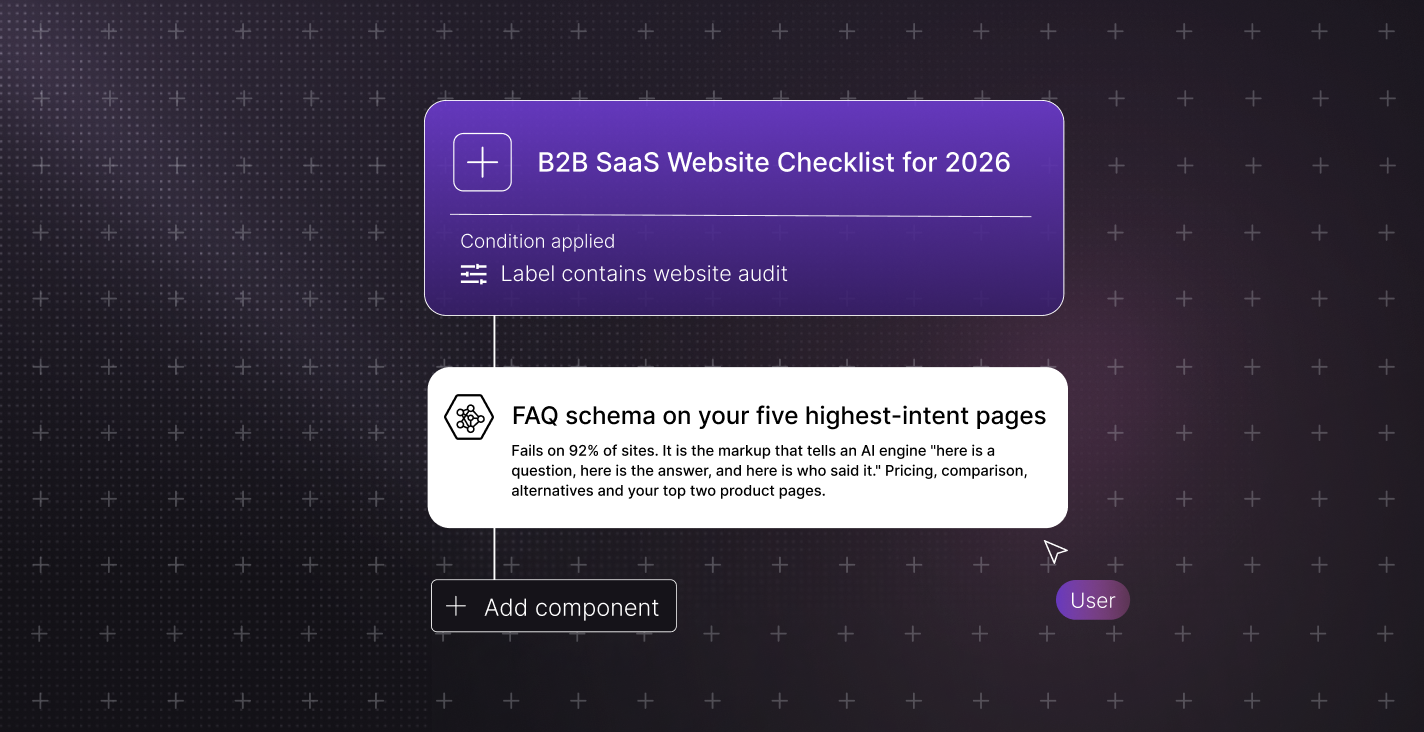
Fix 1: FAQ schema on your five highest-intent pages
Fails on 92% of sites. It is the markup that tells an AI engine "here is a question, here is the answer, and here is who said it." Pricing, comparison, alternatives and your top two product pages. Nothing changes for a human visitor. Half a day of work, and it is the single biggest gap between you and being cited.
Fix 2: The hero
The most common messaging failure and the cheapest to fix. One headline that names the outcome, one subhead that names the buyer, one CTA. Write three versions, read them to a rep, ship the one they would say on a call. An afternoon.
Fix 3: One CTA per page, and real pricing
These two compound. A page with three competing buttons and a pricing page that says "contact us" on every tier sends the self-serve buyer away and gives the sales-led buyer nothing to anchor on. Pick the primary action, repeat it, and publish at least a starting price. A day, most of it internal argument.
Fix 4: Organization schema in the template
One block, one template change, every page covered. Just over half the Webflow sites in our audit had it, and it is the block that tells an engine what your company is and how to refer to it. If it is currently injected by JavaScript, move it into the server HTML while you are there. Two hours.
Fix 5: Mobile speed
Nine times out of ten a failed mobile LCP is one oversized hero image, one autoplay video or one unoptimised font. Run PageSpeed Insights, fix the top item, re-run. Rarely more than a morning.
Everything else on the list matters. These five move the score fastest, and four of them are template or markup work that never touches your design.
When a checklist isn't enough
If you fail ten or more, or the failures cluster in messaging and positioning, you are past patching. That is a rebuild conversation, and the B2B website revamp checklist is the place to start it.
If the site scores well but pipeline is still flat, the problem is somewhere the checklist does not look. Read the six places B2B pipeline actually leaks before you change anything on the site.
Running this on a Webflow site
A quick note on platform, because we are a Webflow agency and the honest answer is not the one you would expect. In our audit, Webflow sites averaged 3.65 out of 5 on AI readiness and other platforms averaged 3.50. The difference is noise. Platform choice did not decide the score. Decisions did.
What Webflow does handle by default: the sitemap, meta description fields on every page, fast hosting and clean semantic HTML. Every Webflow site in our study had a meta description and 95% had a sitemap.
What it does not do for you: Organization schema is a decision (51% of Webflow sites had it, against 64% elsewhere), FAQ markup is Designer work, and llms.txt has to be written and uploaded. Those are the checks in section 5, and they are the ones that decide whether you get cited. This is the part of the work Amply's Webflow SEO and AEO service and our SaaS website design builds cover by default.
Final thoughts
Twenty-five checks. Most SaaS sites pass the first twenty and fail the last five, because the last five are new. Run the audit, score it honestly, fix the five that matter, and put a re-run on the calendar. Readiness is a snapshot. The sites that stay on the shortlist are the ones that keep re-taking it.
Want the score without the spreadsheet? Our free AI Readiness Audit checks the same signals as section 5 in about a minute, no call required. And if the whole list looks like a rebuild, book a call with Amply and we will tell you which it is.



.avif)


.avif)