Find & Replace
Find once. Replace everywhere. Safely.
Search page content and metadata with the Find & Replace app, review every match, and apply changes with confidence.
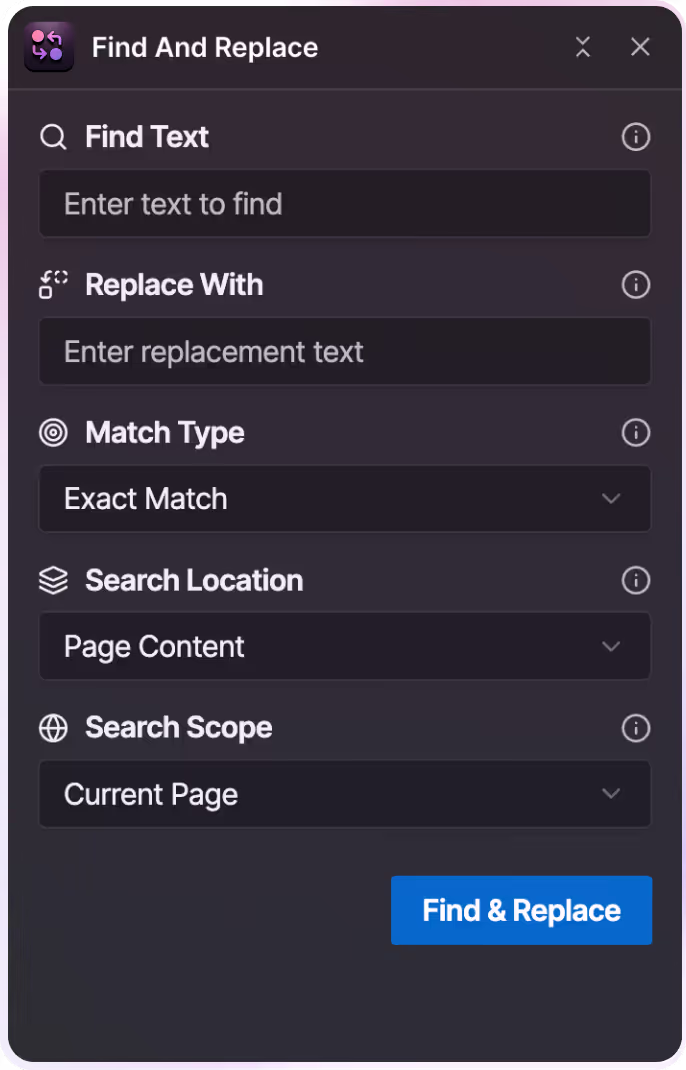
What Find & Replace Does
Find & Replace helps you locate specific words or phrases across your Webflow site and update them in a single, controlled workflow.
You can search both visible page content and SEO metadata, review every match, and decide exactly what gets replaced before applying any changes.


How it works
You see every match first, then decide what gets replaced.
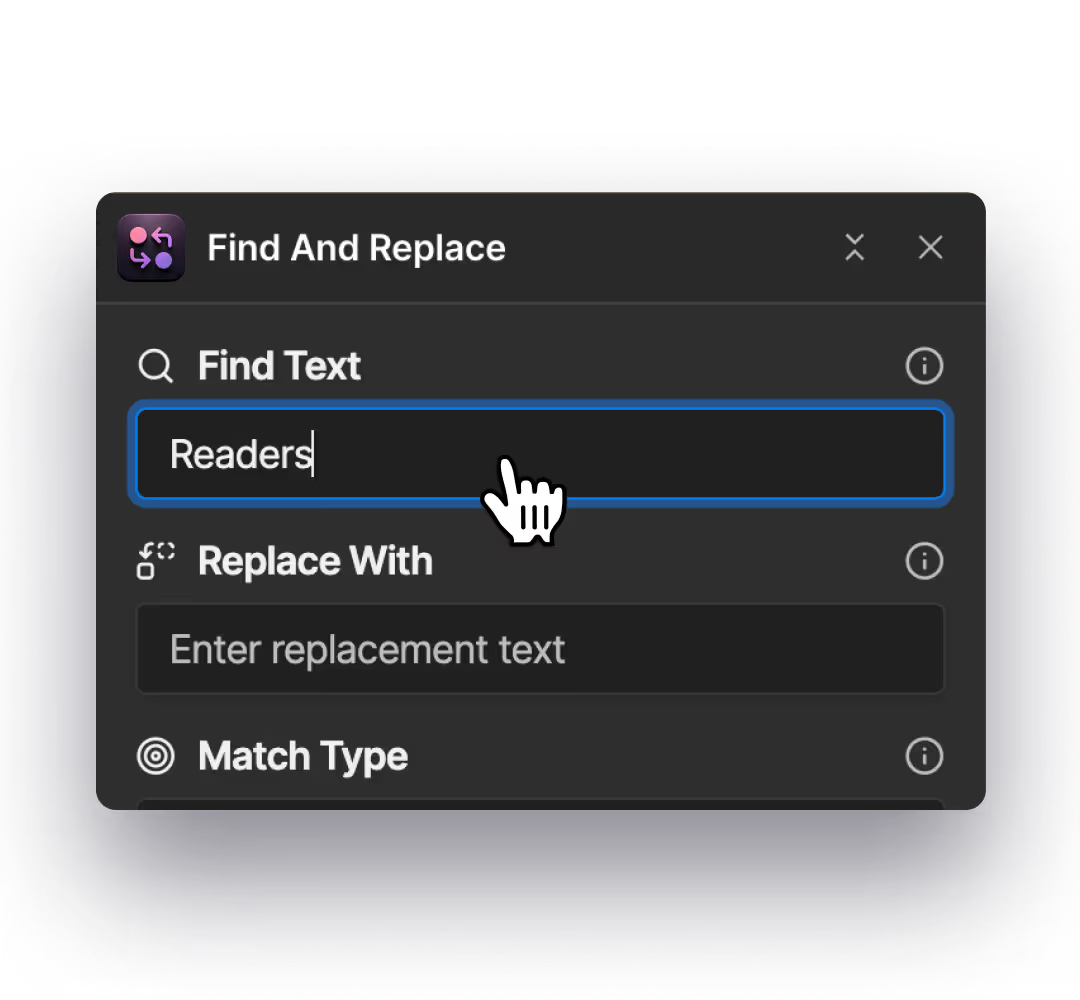
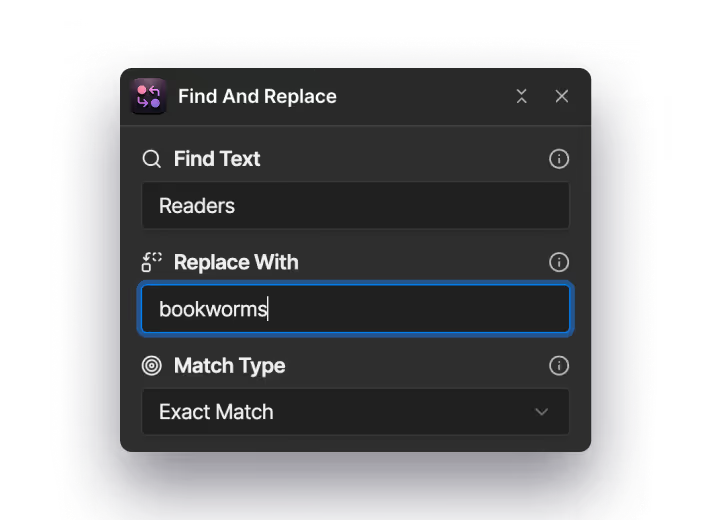
Step 1: Enter the text you want to find
Add the word or phrase you’re looking for. This is the text Find & Replace will scan for across your site.
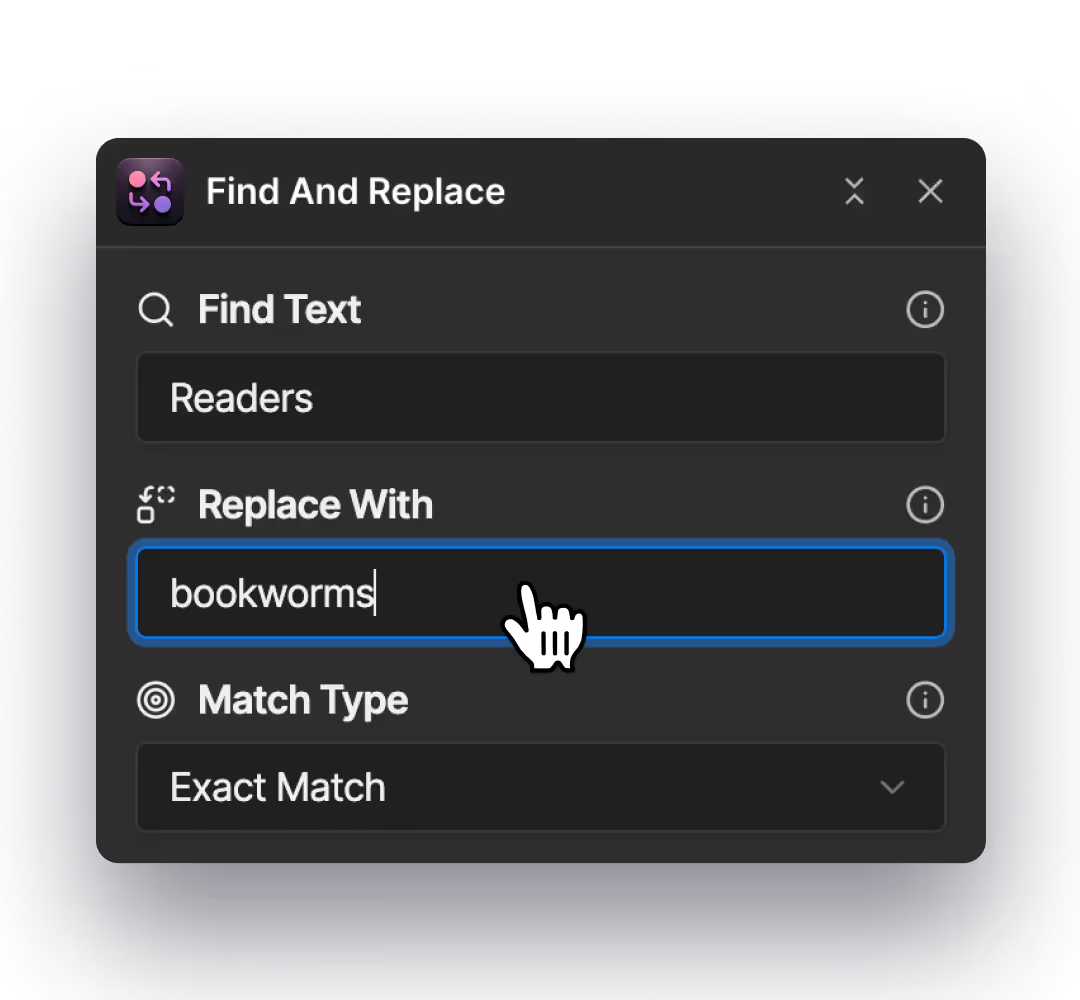
Step 2: Enter what it should be replaced with
Add the new text you want to use. This will only be applied to the matches you approve.
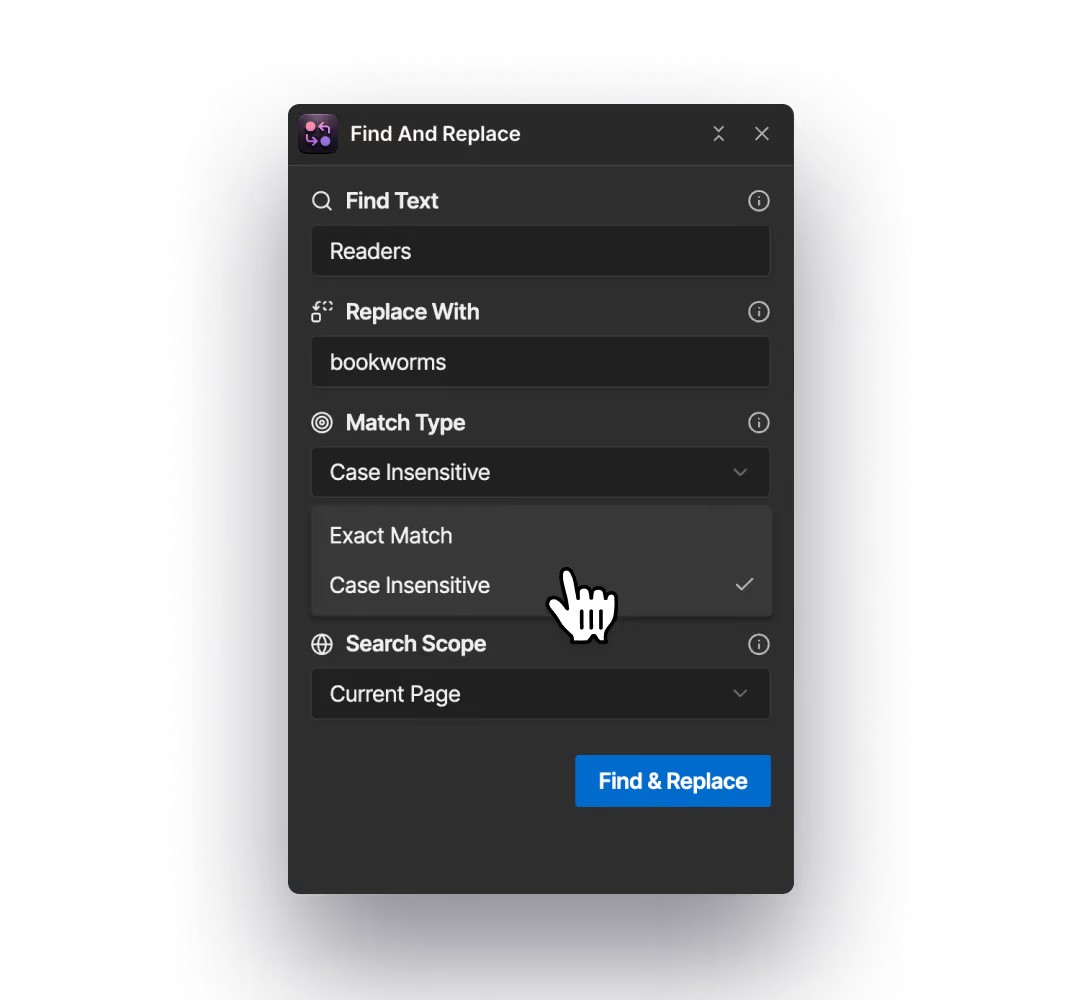
Step 3: Choose how matches should work
Decide whether the search should be exact or case-insensitive, depending on how precise you want the results to be.
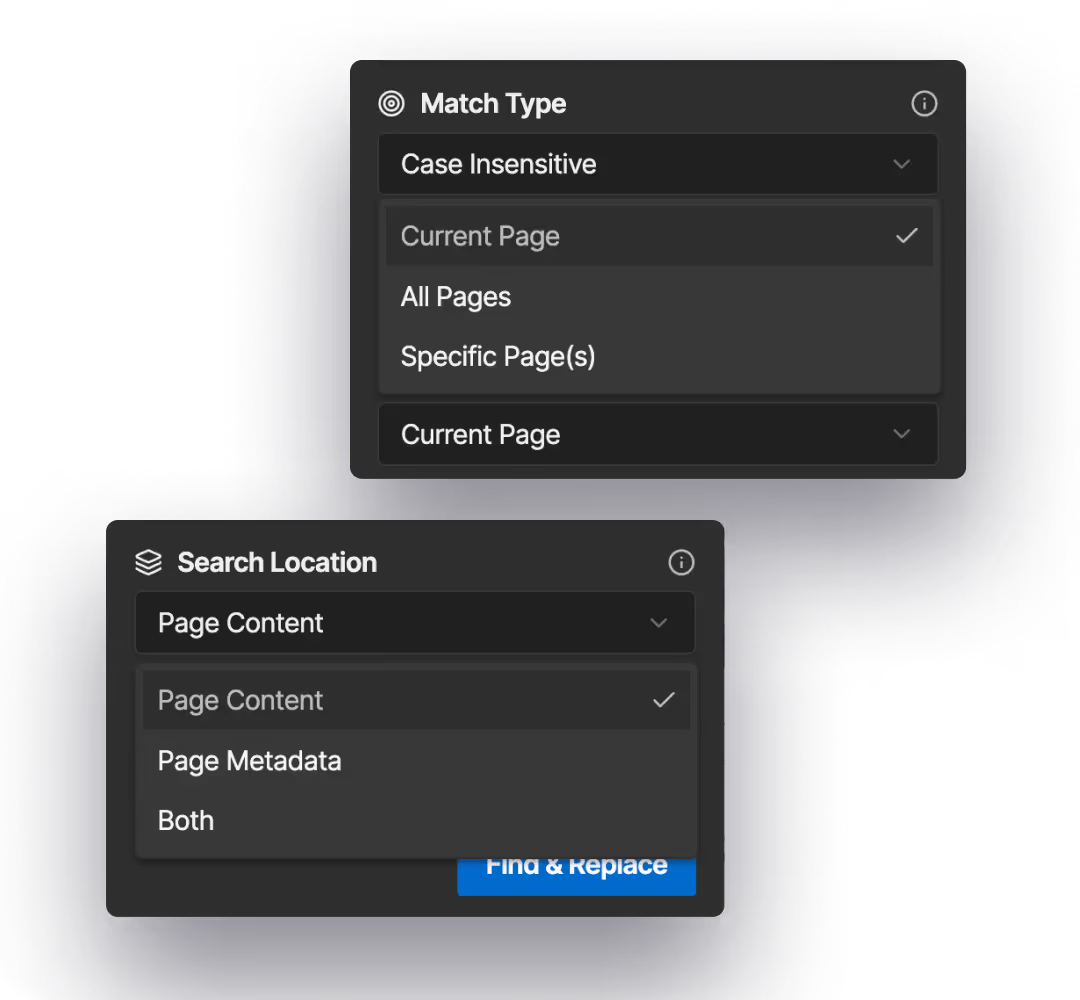
Step 4: Select where to search
Choose whether to scan the current page, specific pages, or your entire site. You can also include page content, metadata, or both.
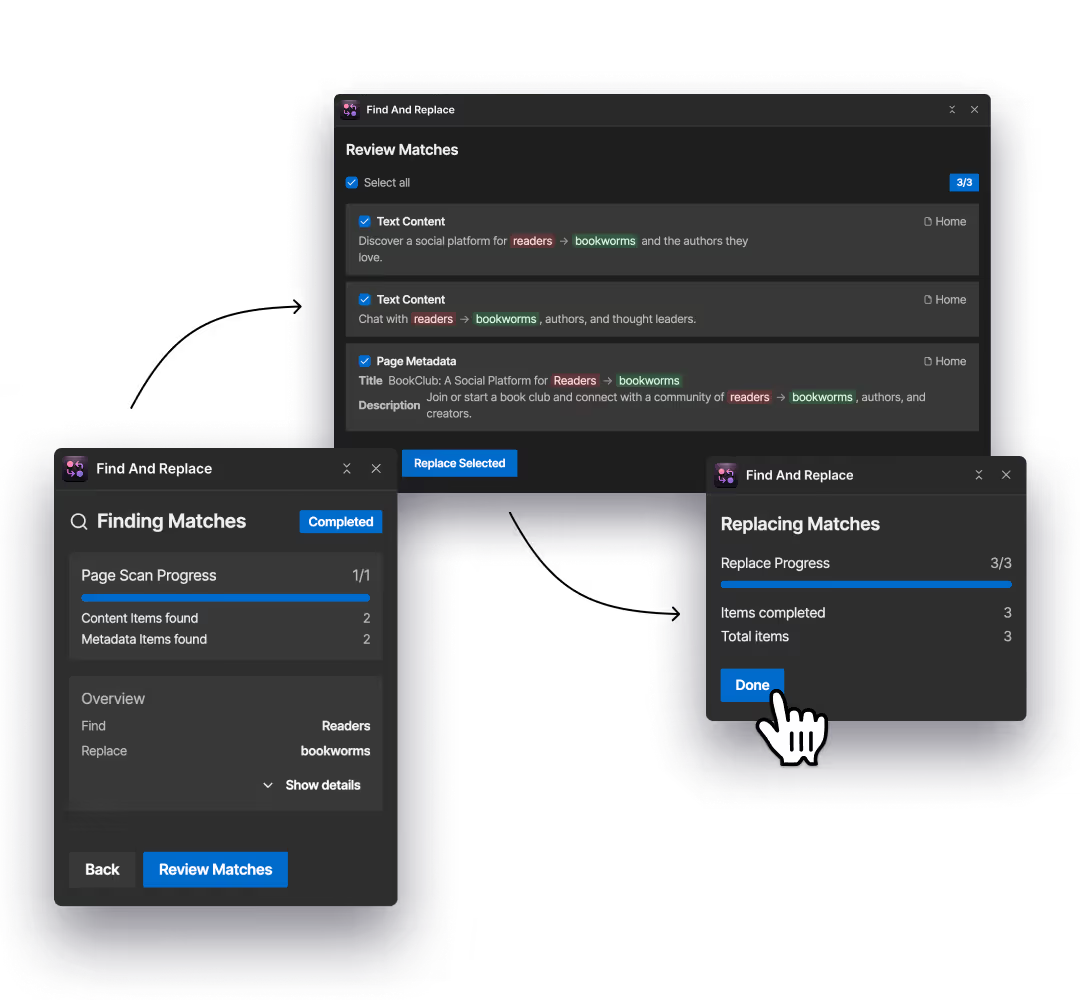
Step 5: Apply changes only where you choose
Review every match, select the ones you want to update, and apply the changes with confidence.
Where Find & Replace Helps Most
These are the moments when Find & Replace saves time without introducing risk.
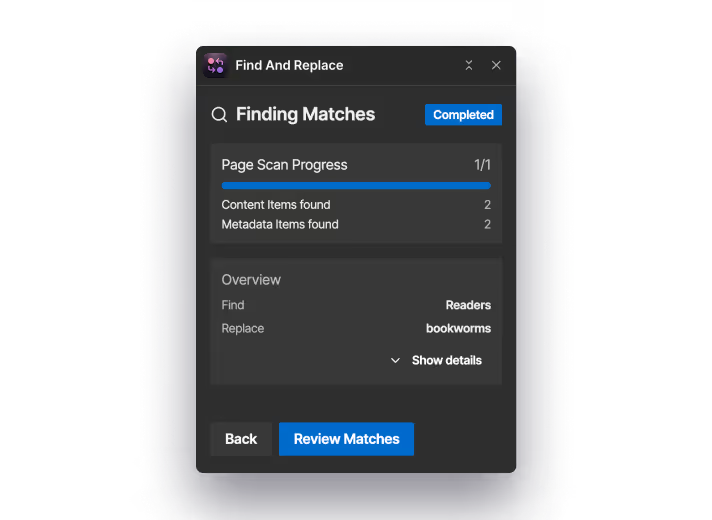
Fixing the same word or typo across multiple pages
When a small mistake appears in more than one place, you don’t need to hunt it down page by page. Find & Replace shows you every instance so you can update them in one pass.
Renaming features, products, or terminology
If something changes name, Find & Replace helps you locate every place the old term exists and update it without missing hidden references.
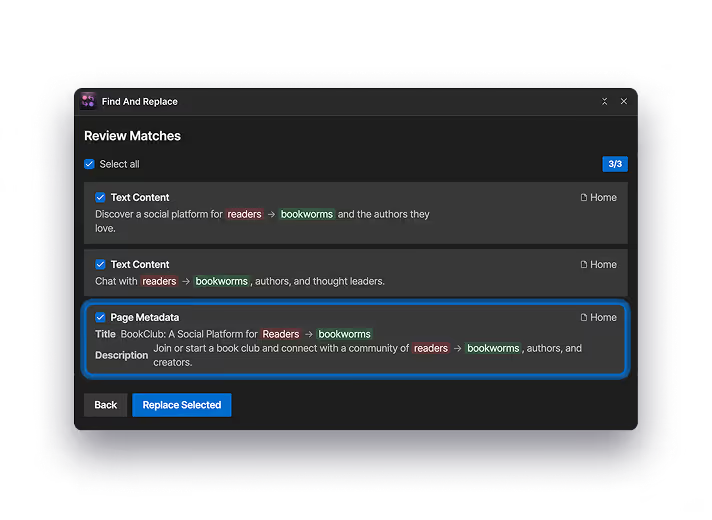
Updating SEO titles and descriptions
Search and replace text inside page metadata, not just visible content. This makes it easier to clean up outdated SEO fields without opening each page.
Find it. Review it. Replace it.
Install the Find & Replace app and stay in control of every update.